🚧 Content Collection: Training Course (ℂ𝕠𝕞𝕚𝕟𝕘 𝕤𝕠𝕠𝕟!)
This section covers:
How to create a Certificate for a Training Course
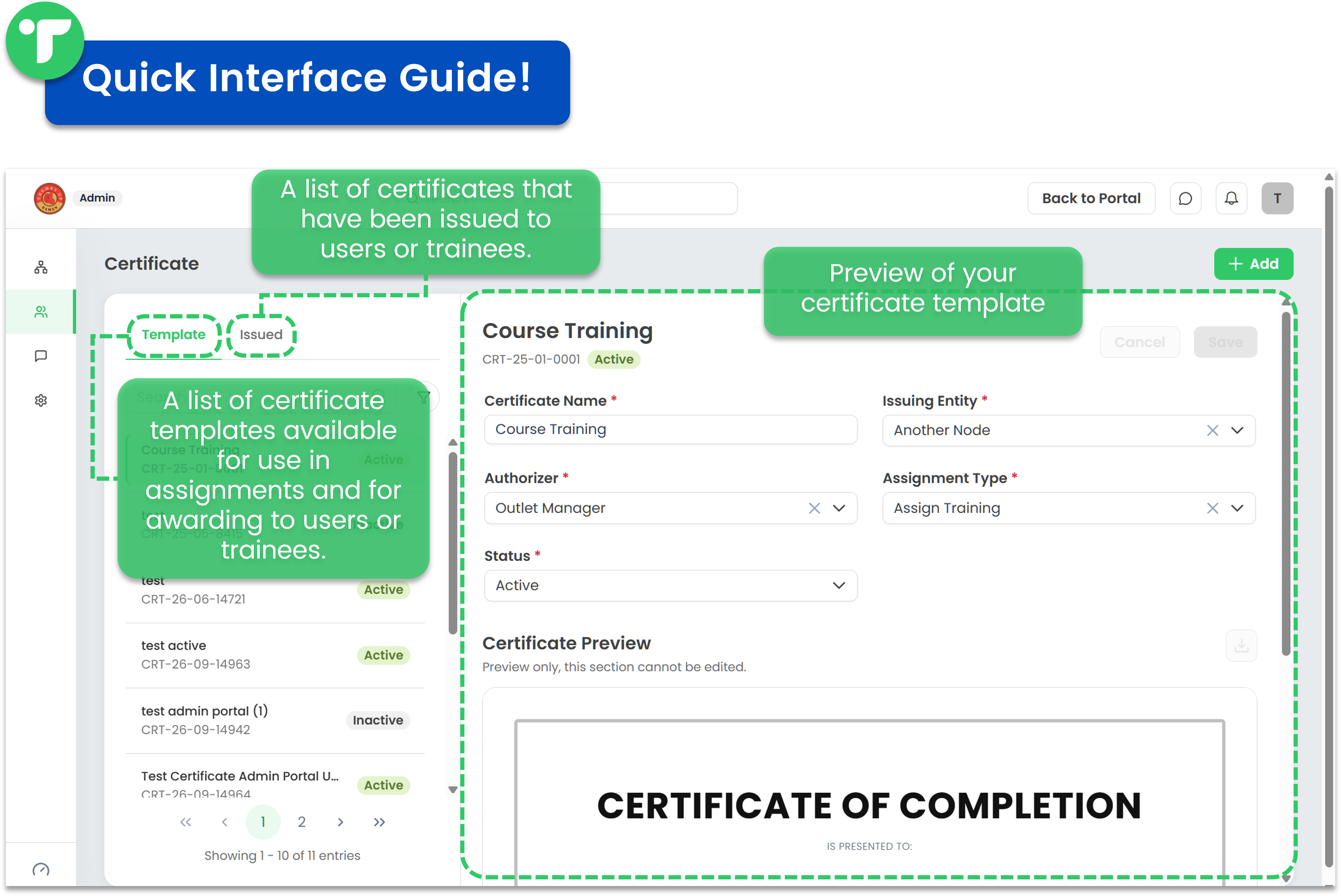
You can create a certificate to recognise users who successfully complete a training program. Once linked to a training, the certificate will be generated automatically for users who pass the training.
🤔💭 Did you know?
Training courses that come with a certificate are marked with a check icon!
Follow the steps below to create your training certificates:
- If you're on the Portal, switch to Admin Portal (Desk). Learn how you can switch to Desk here!
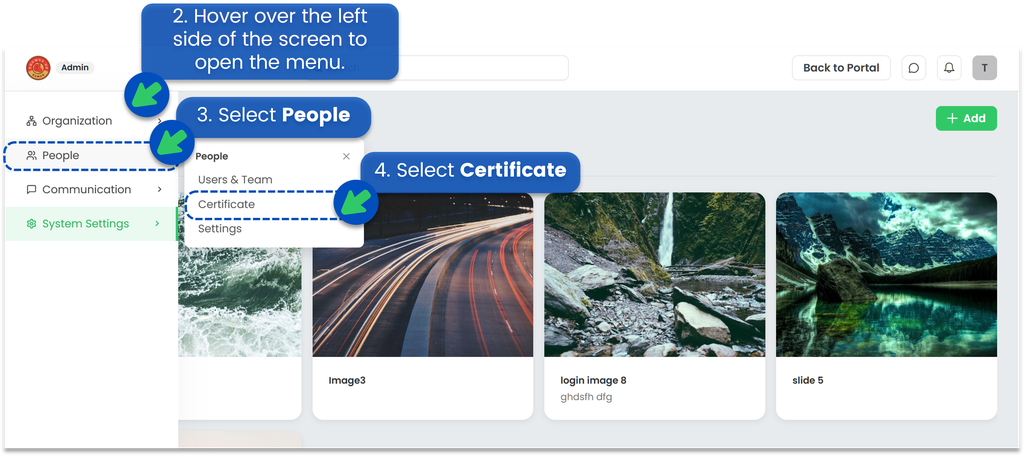
- Hover over the left side of the screen to open the menu.
- Select People
- Select Certificate
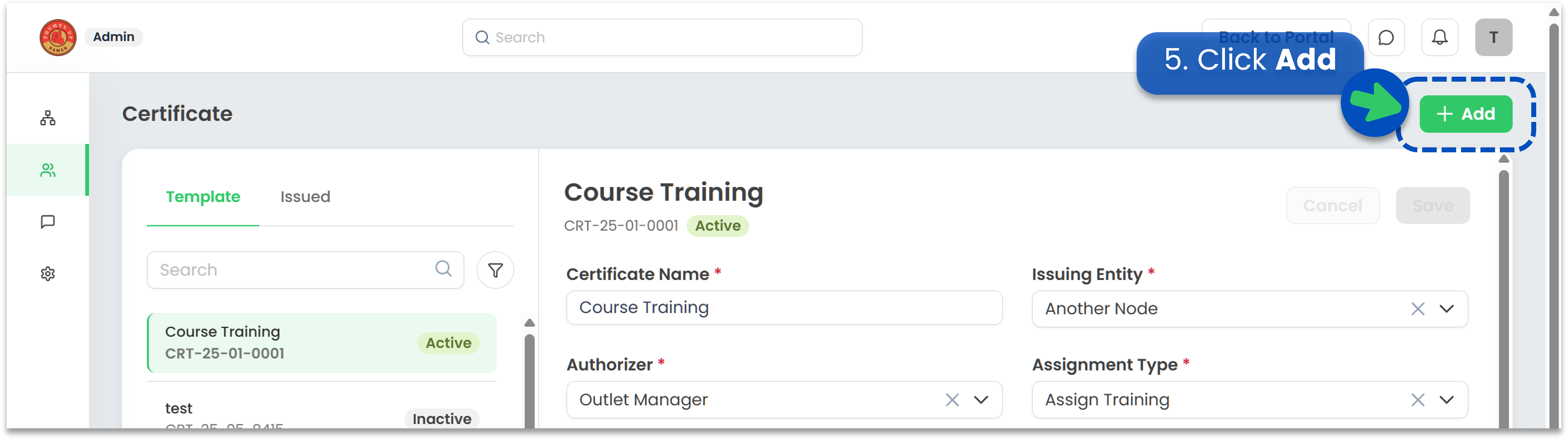
- Click Add
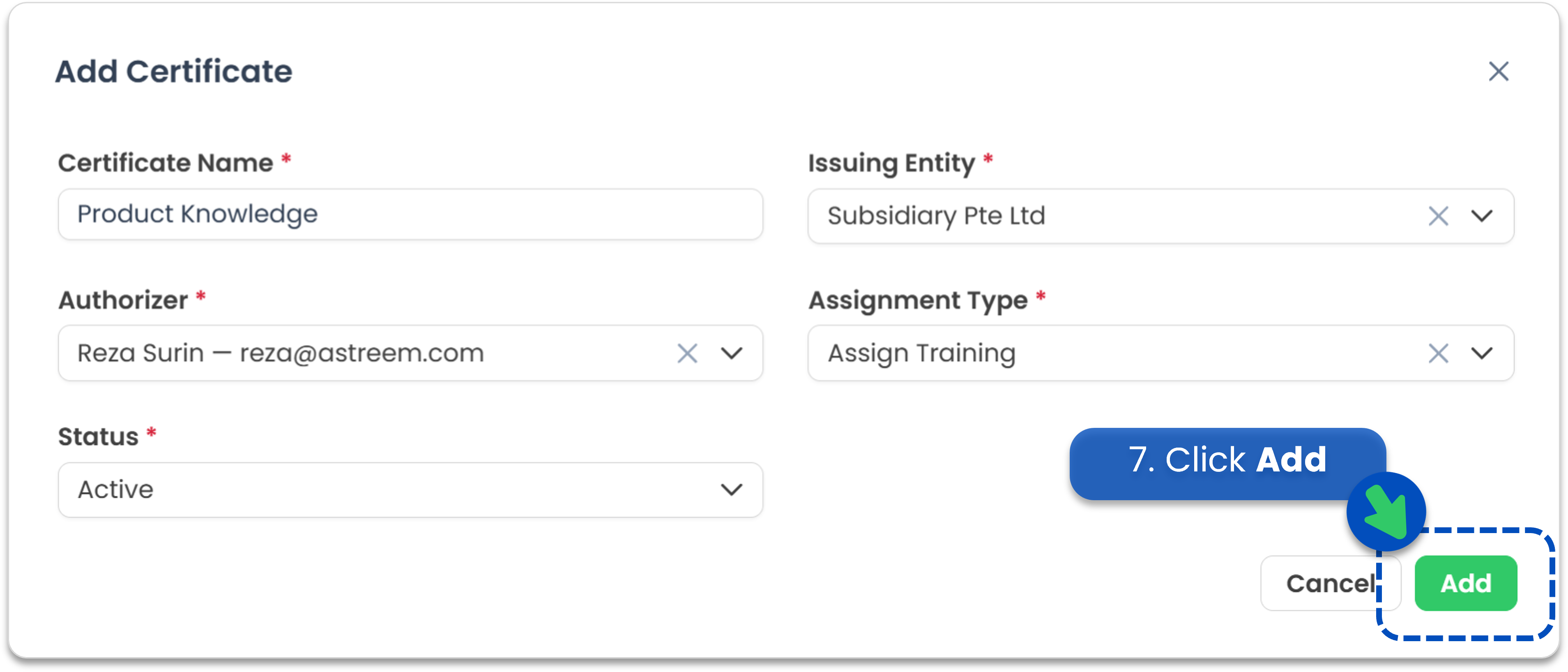
- Enter the certificate template details.
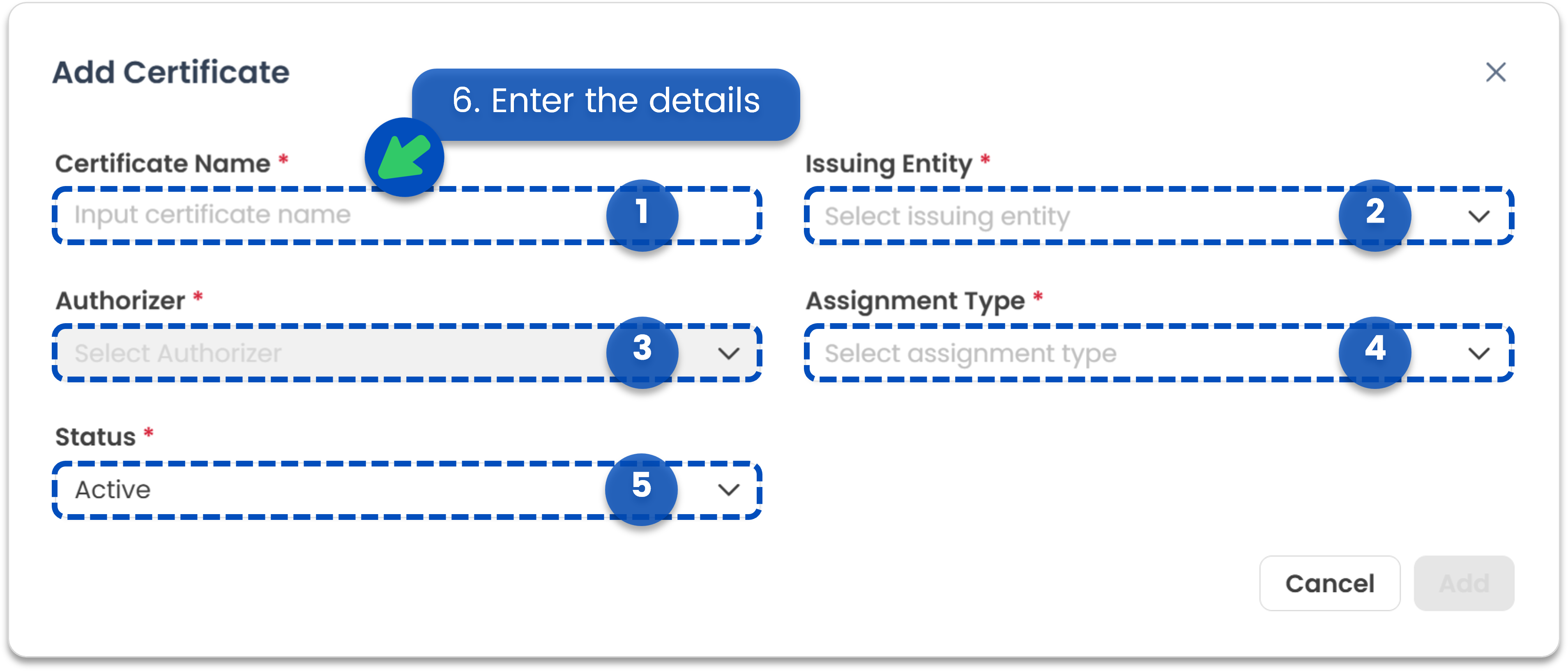
- Certificate Name: The name of the certificate.
- Issuing Entity: The organisation or entity issuing the certificate.
- Authoriser: The person authorised to approve the certificate. Please note that the available authorisers depend on the selected Issuing Entity.
- Assignment Type: The type of assignment linked to the certificate. Currently, only Training is available.
- Status: Indicates whether the certificate is active or inactive. Inactive certificates cannot be issued.
- Click Add
- Your certificate template has been created successfully! You can now link it to training assignments to automatically reward trainees who pass the training course.
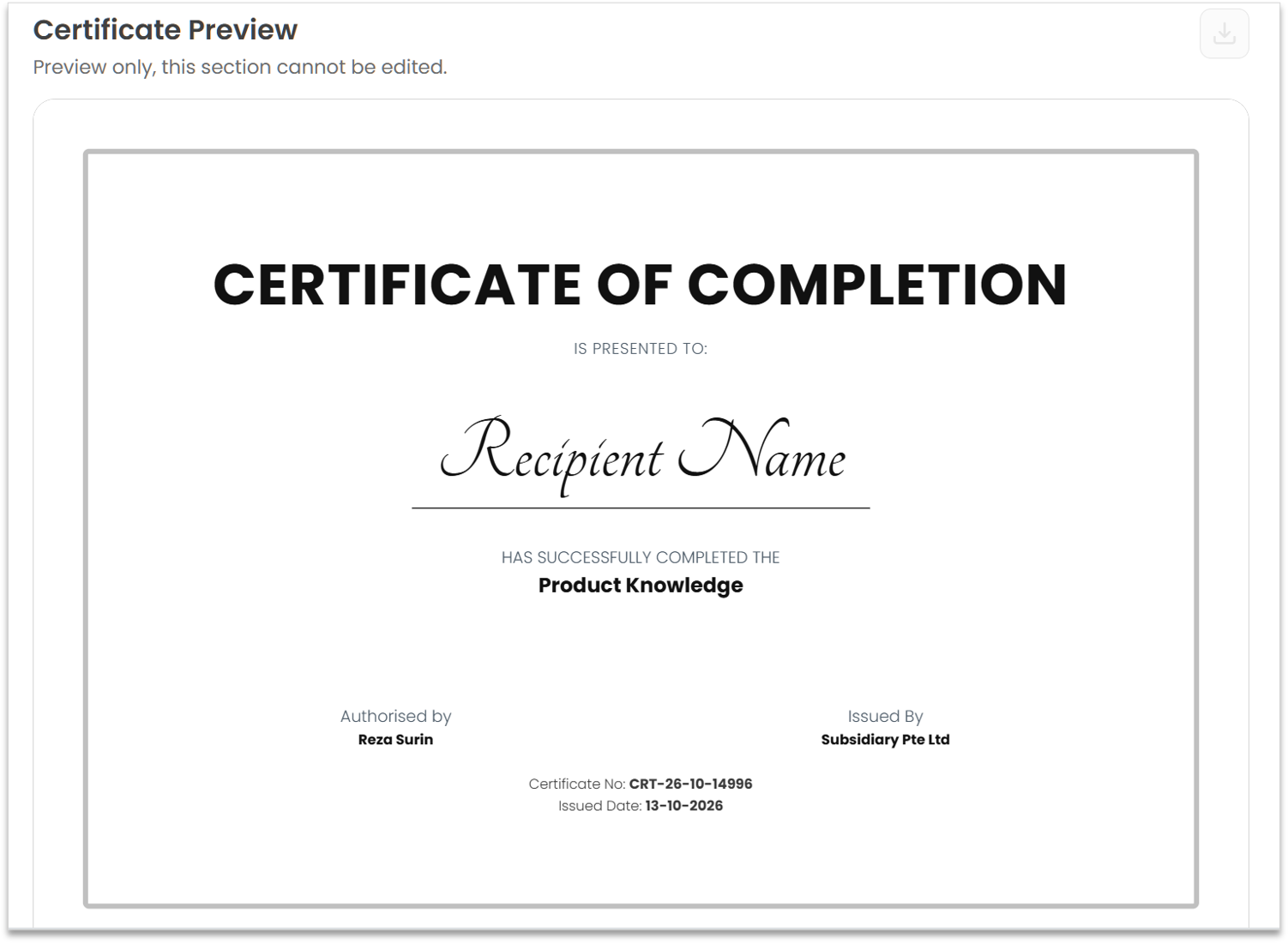
🚧 Certificate customisation is not currently available.