User Types
This section covers:
User Types
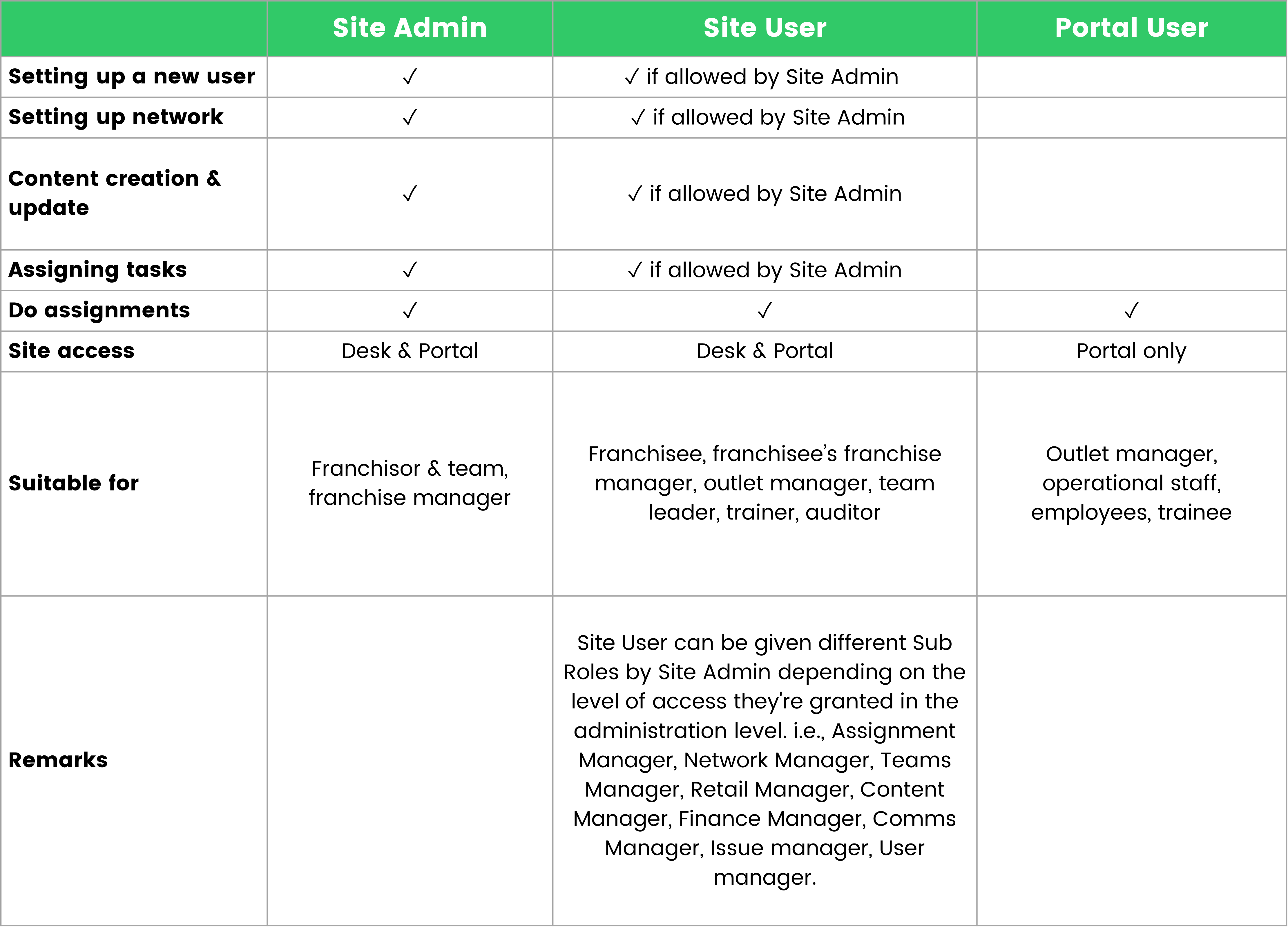
User Types define the roles and permissions of individuals using the platform. Each user type is tailored to match specific responsibilities, ensuring the right people have access to the right tools and information. In TreeAMS, there are three types of User:
Super Admin
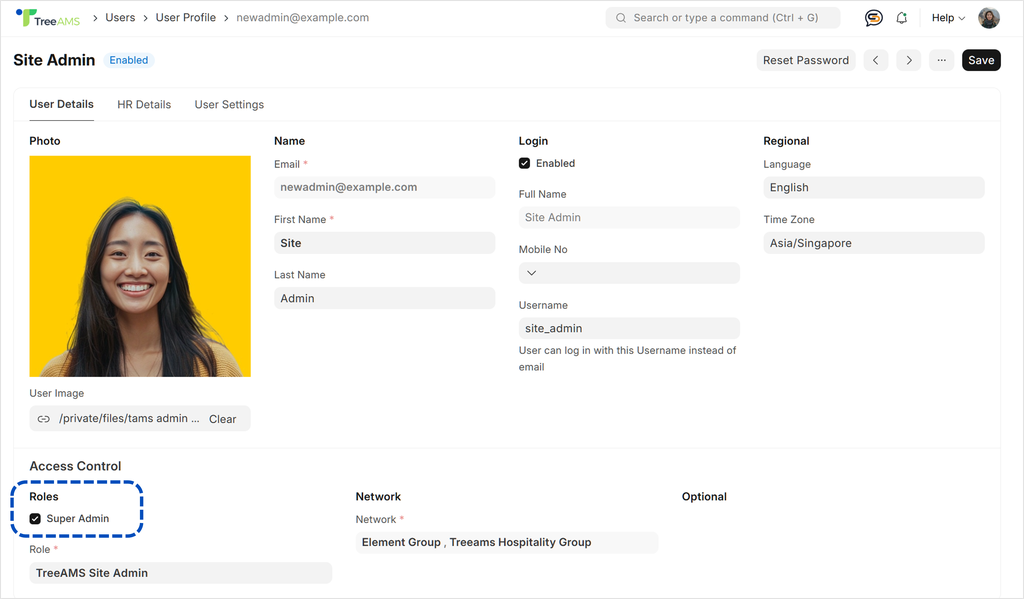
Super Admin is an additional permission level available for Site Admins. By default, a Site Admin with Super Admin enabled has access to the HQ, which is the highest level in your Network Structure. Access is not restricted by departments or brands.
🤔 What is the difference between a Site Admin with Super Admin enabled and a regular Site Admin?
A Super Admin has the highest level of permission, without any restrictions related to networks, brands, departments, or other structural elements.
In contrast, a Site Admin can be restricted to specific networks, brands, departments, or other areas within the system.
🤔 Requirement for Super Admin
Every TreeAMS site must have at least one Super Admin.
If the current Super Admin leaves and a replacement is needed, you must either:
- Enable Super Admin access for another Site Admin, or
- Create a new Site Admin with Super Admin access
This ensures that your TreeAMS site continues to function properly, with a Super Admin managing the system and permissions, supported by other Site Admins and Site Users (if applicable).
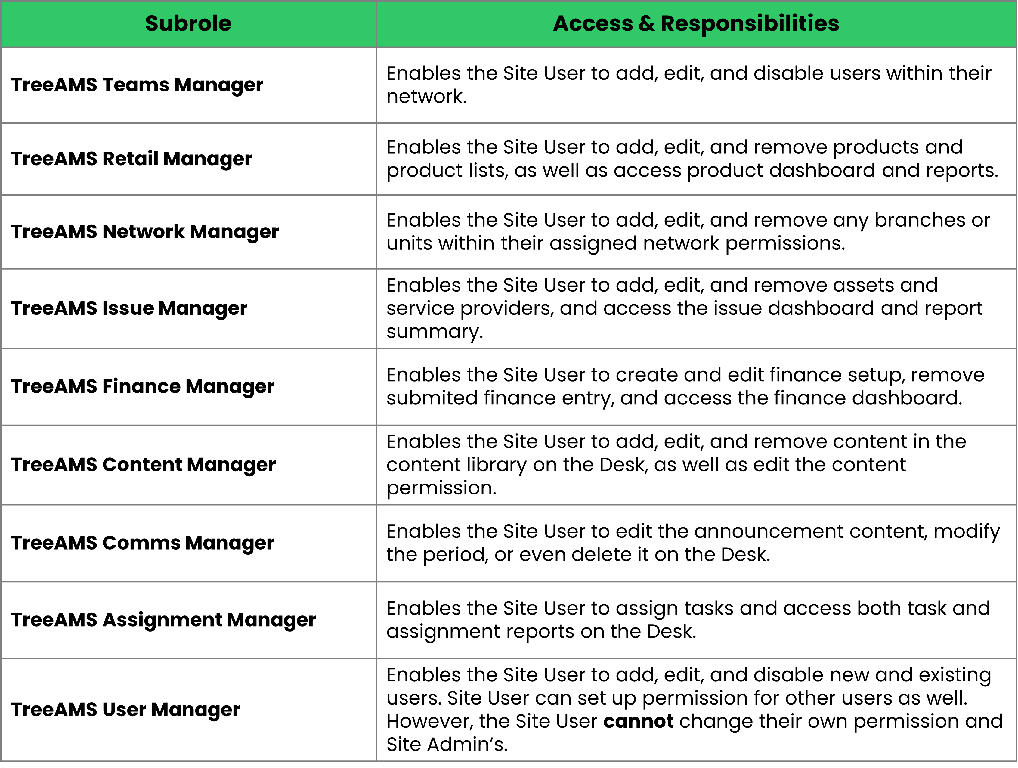
Sub-roles Available for a Site User