Content Block: PowerPoint
This section covers:
- What is PowerPoint?
- How to add a PowerPoint
- How to delete a PowerPoint
- How to set permission for PowerPoints
What is PowerPoint?
PowerPoint Content Block is a content block used to upload and display PowerPoint slides directly within TreeAMS. Slides can include animations and transitions, enabling more engaging and dynamic presentations. A PowerPoint content block can be added to both Training Courses and Manuals.
How to add a PowerPoint
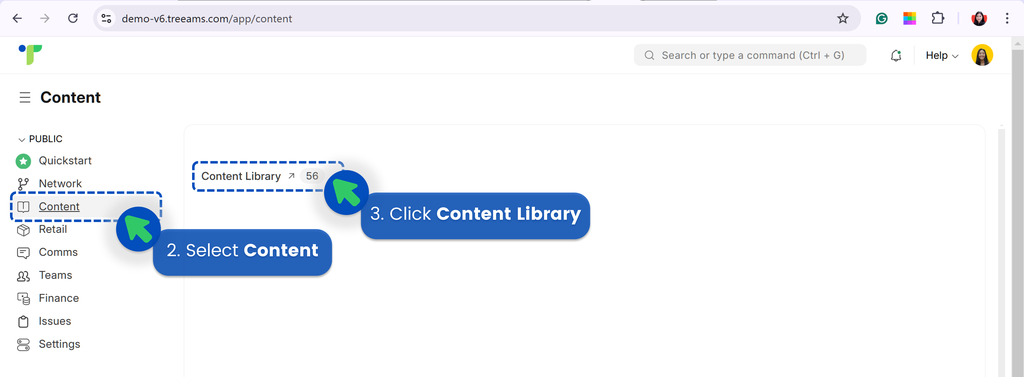
- Go to Desk. Learn how you can switch to Desk here!
- Select Content
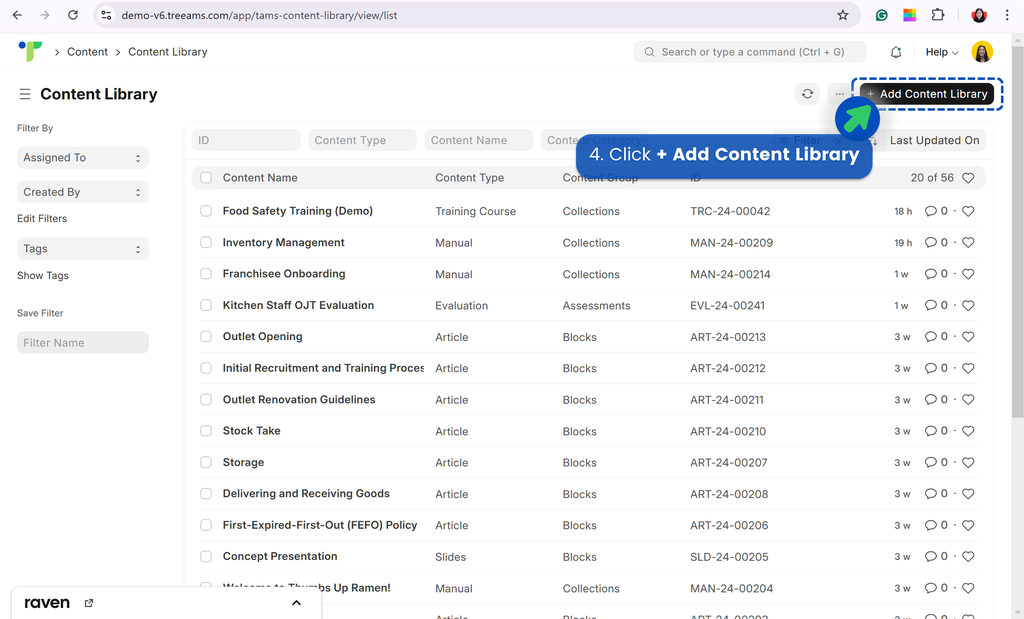
- Click Content Library
- Click + Add Content Library
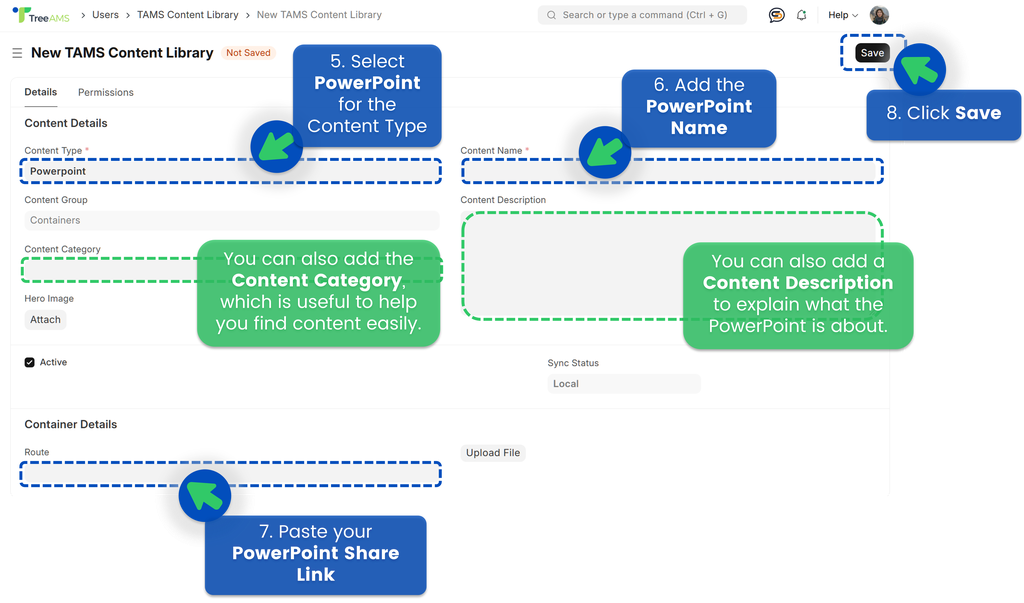
- For the content type, select PowerPoint. Refer to Content Types: Blocks vs Collections to learn more about different content types available on TreeAMS
- Add the PowerPoint name
- Paste your PowerPoint Share Link to add the PowerPoint
- Only PowerPoint formats are accepted (e.g. .pptx)
- The PowerPoint file must be hosted online and shared with the “Anyone with the link” access setting
- Copy and paste the shared link into TreeAMS to embed the slides correctly
- Click Save
💡 IMPORTANT!
How to delete a PowerPoint
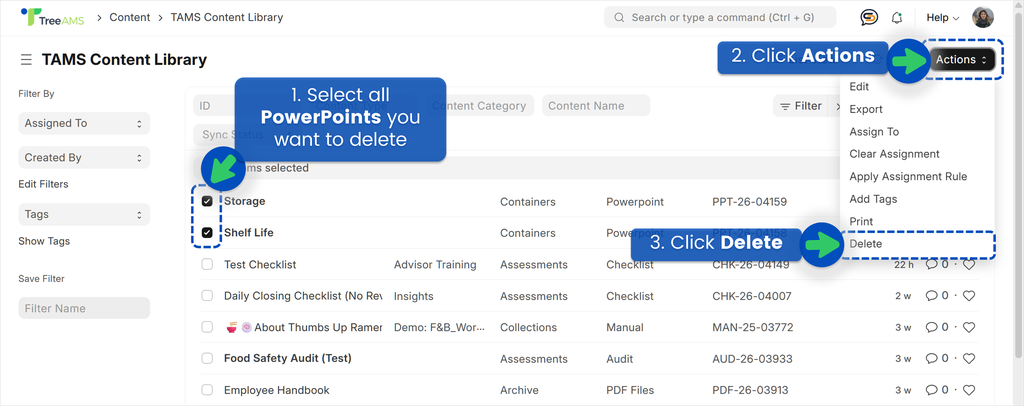
- From Content Library, select PowerPoints you want to delete
- Click Actions
- Click Delete
💡Quick Tips: If you have added any of these deleted PowerPoints to content collections, don't forget to delete these PowerPoints from the content collections too!
How to set permission for PowerPoints
To set up your permission for PowerPoints, please refer to Content Permission.