Content Block: PDF Files
This section covers:
What is PDF File?
A PDF File Content Block in TreeAMS is a content block that allows users to upload and display a PDF document directly within the platform, enabling embedded viewing so users can access the file without downloading it. The document is presented in a read-only format, ensuring that end users cannot edit its content.
How to add a PDF File
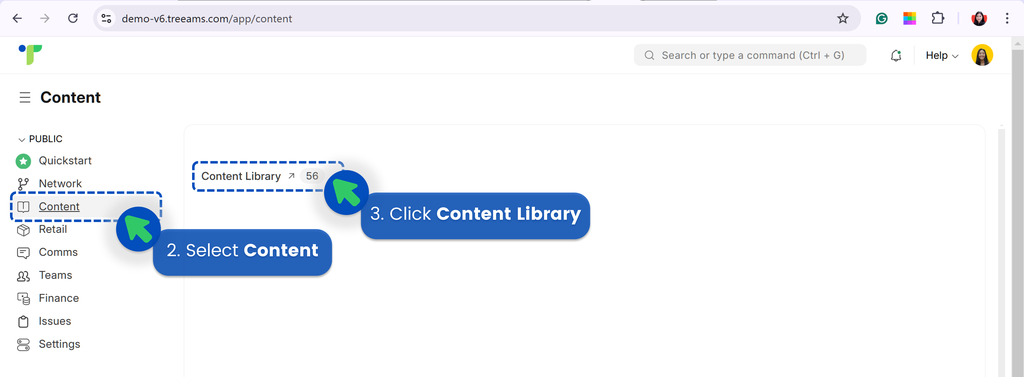
- Go to Desk. Learn how you can switch to Desk here!
- Select Content
- Click Content Library
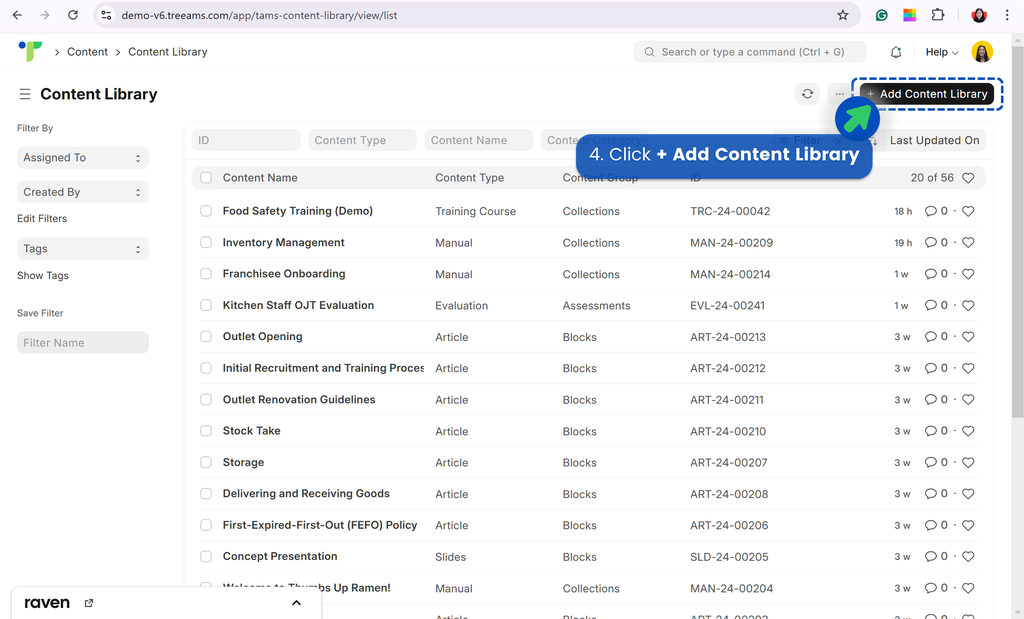
- Click + Add Content Library
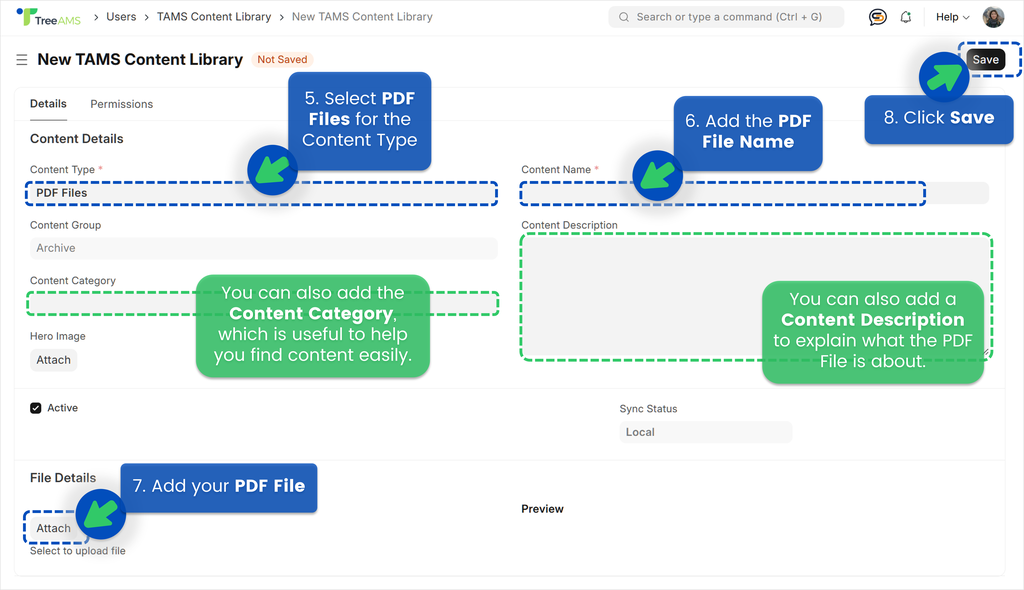
- For the content type, select PDF Files. Refer to Content Types: Blocks vs Collections to learn more about different content types available on TreeAMS
- Add the PDF File name
- Add your PDF File
- Click Save
How to delete a PDF File
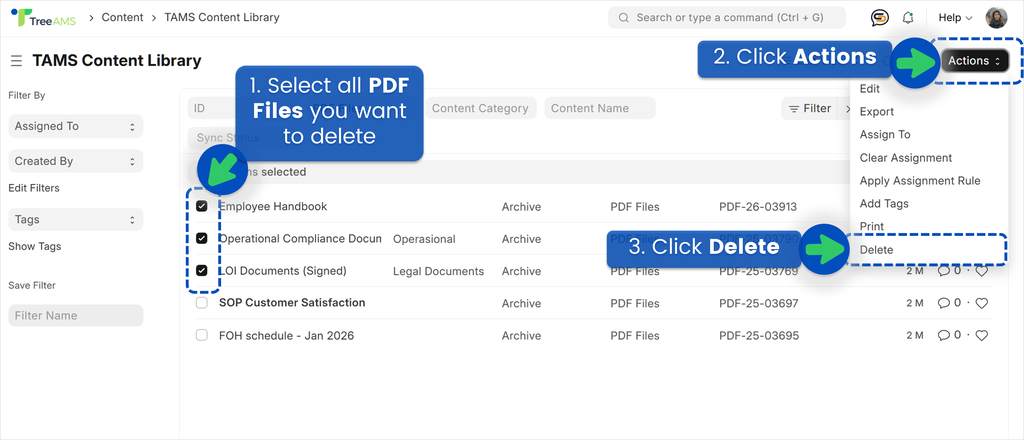
- From Content Library, select all PDF Files you want to delete
- Click Actions
- Click Delete
💡Quick Tips: If you have added any of these deleted PDF Files to content collections, don't forget to delete these PDF Files from the content collections too!
How to set permission for PDF File
To set up your permission for PDF Files, please refer to Content Permission.